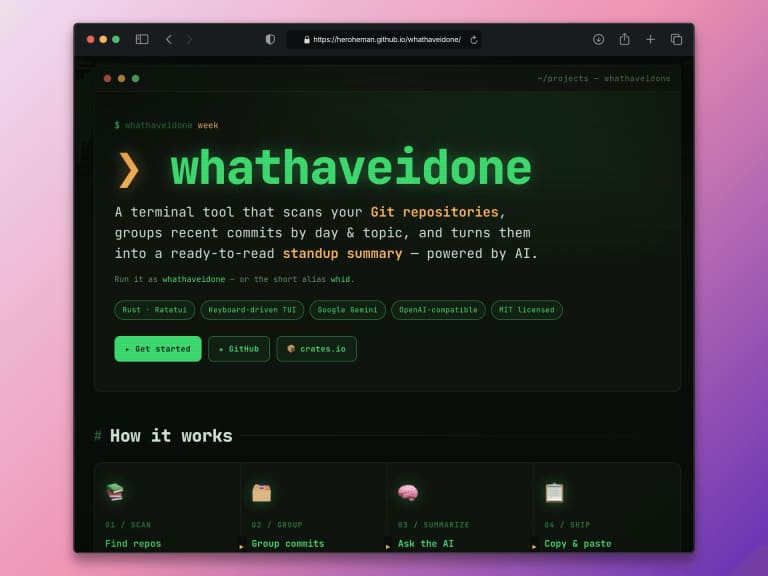
Last year, I introduced whathaveidone here – a TUI app designed to help me summarize what I did and in which timeframe. The main idea was to simplify my time tracking and provide better updates during daily standups.
This week, I finally found some time to work on this app again and have now released Version 0.6.2!
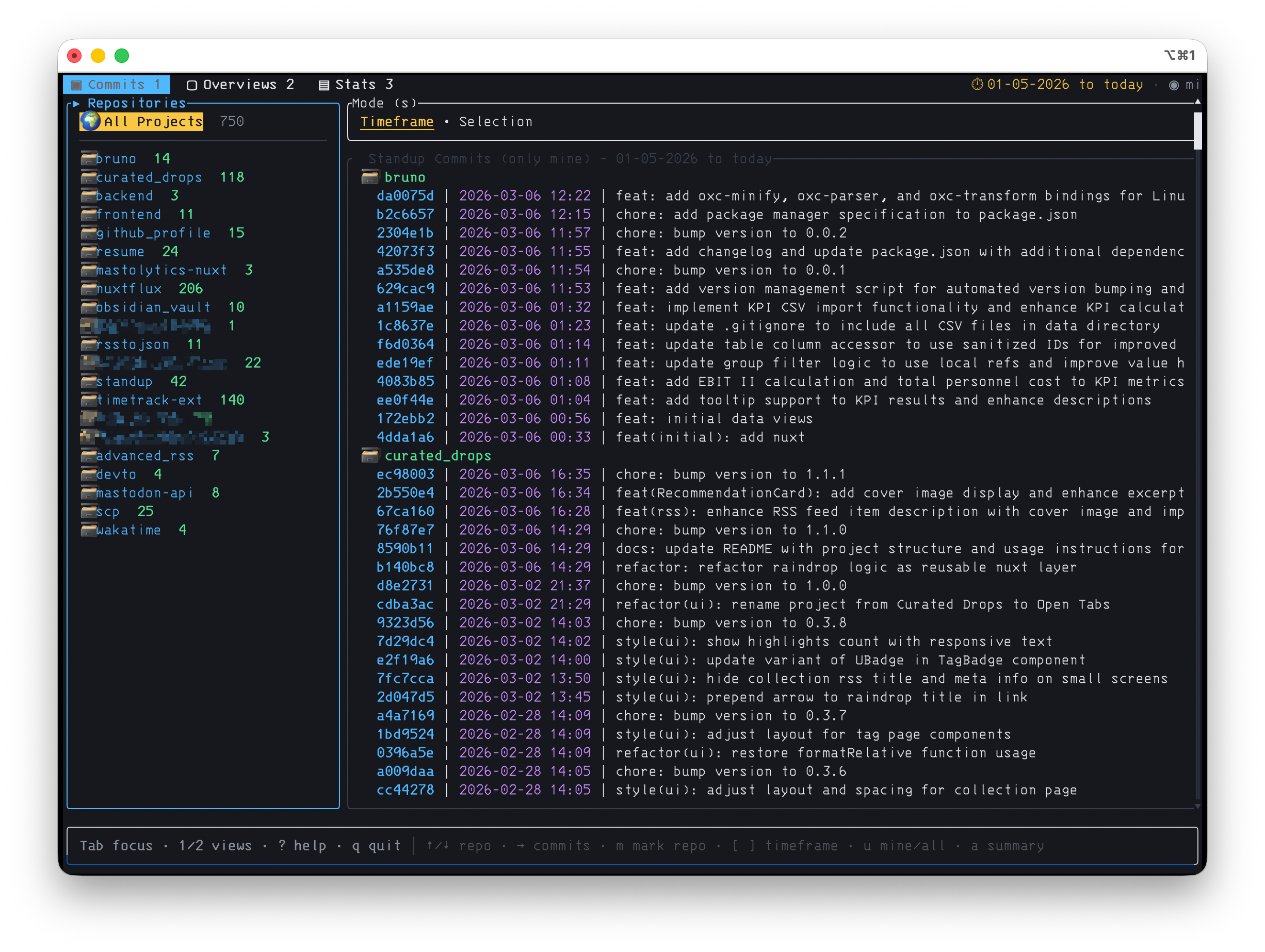
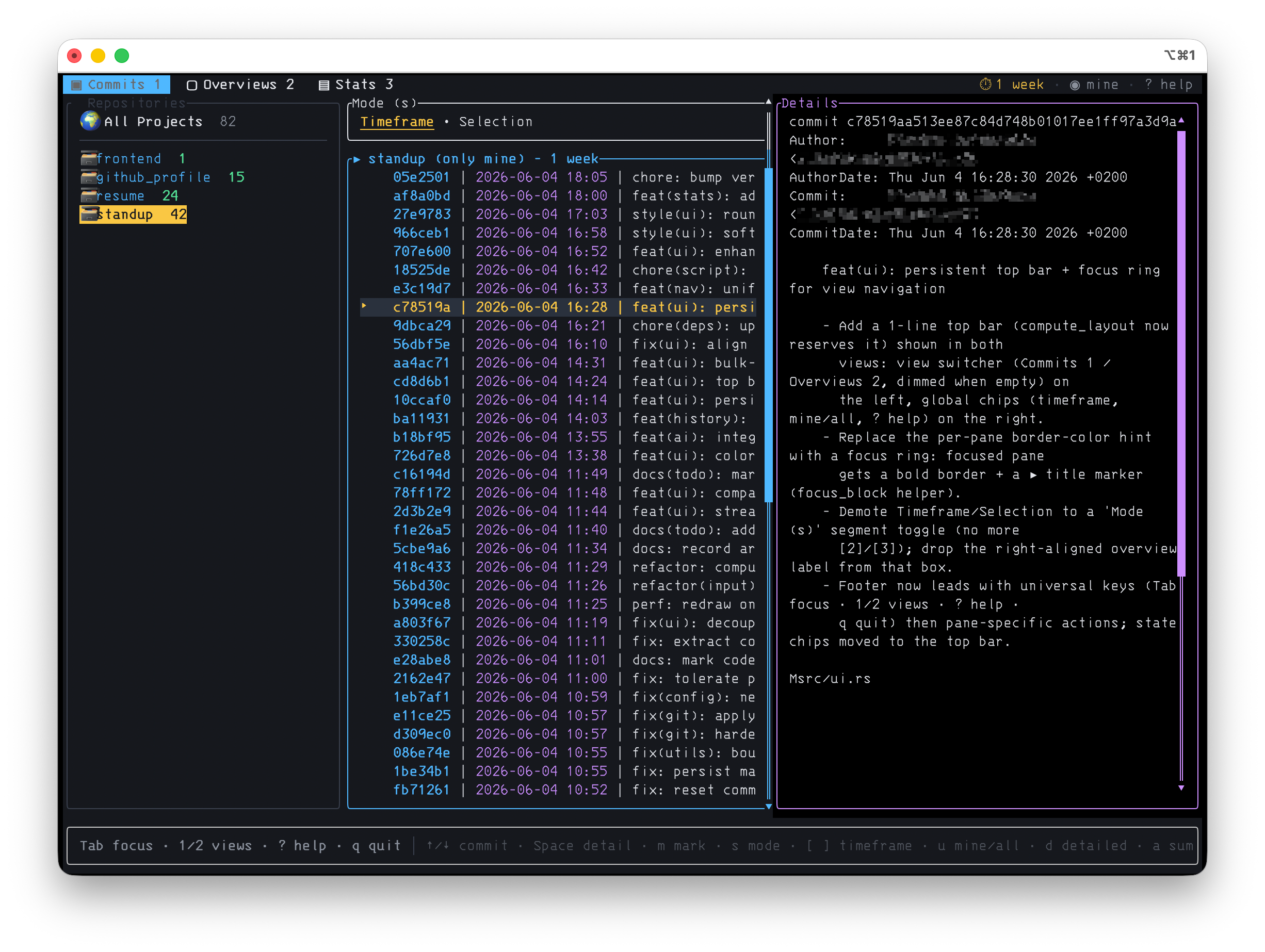
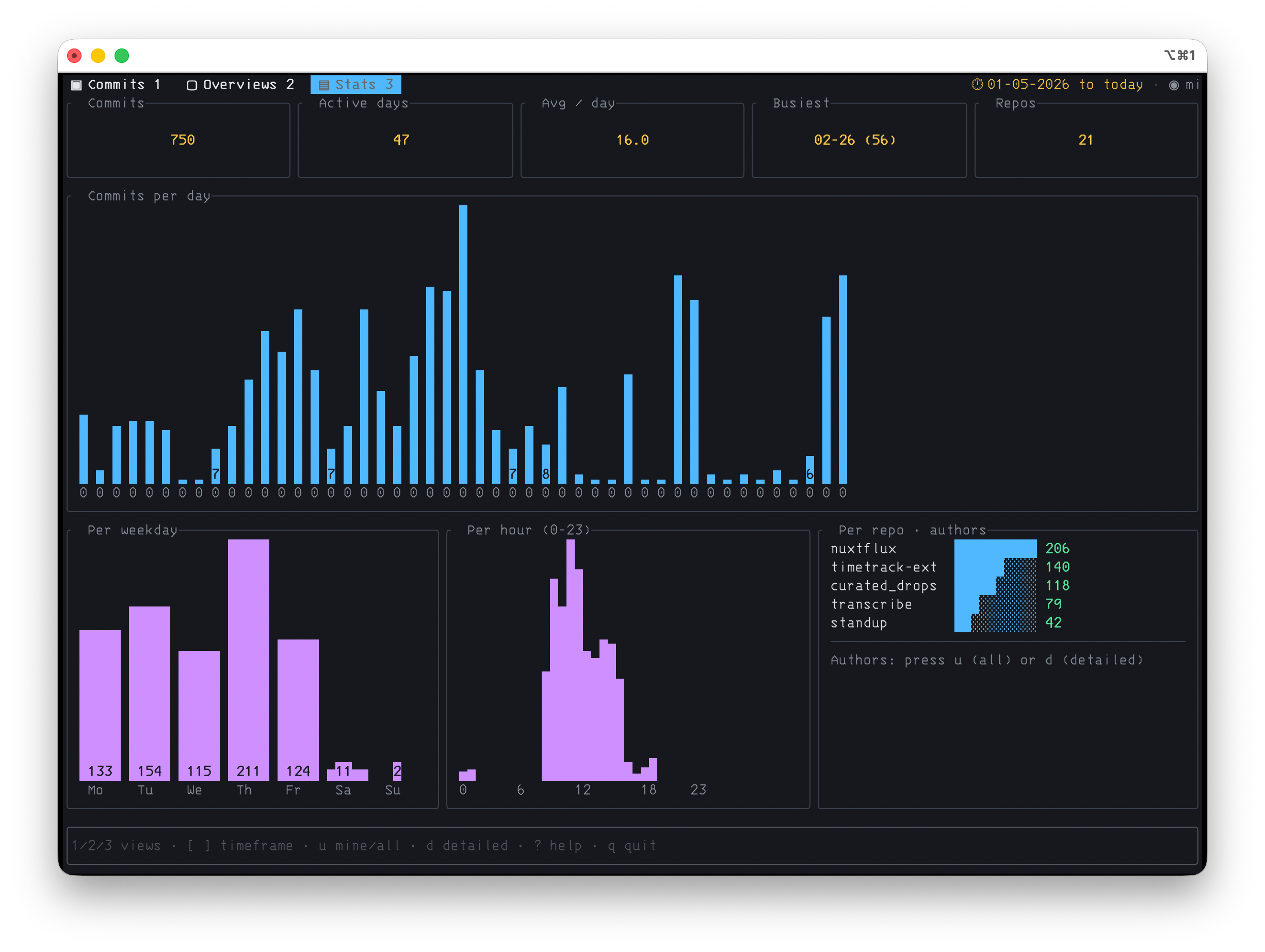
For one, I have significantly overhauled and simplified the layout. There are now separate views for commits, reports, and (new!) statistics, all operable via the same, consistent key bindings. 1 takes you to the Commits view, 2 to the Overviews, and 3 to the new Stats dashboard. On top of that, there is now a compact, responsive interface featuring a top bar, focus ring, context-aware footer, mouse support, and a ? overlay that lists every single key – because I cannot remember all of them either.
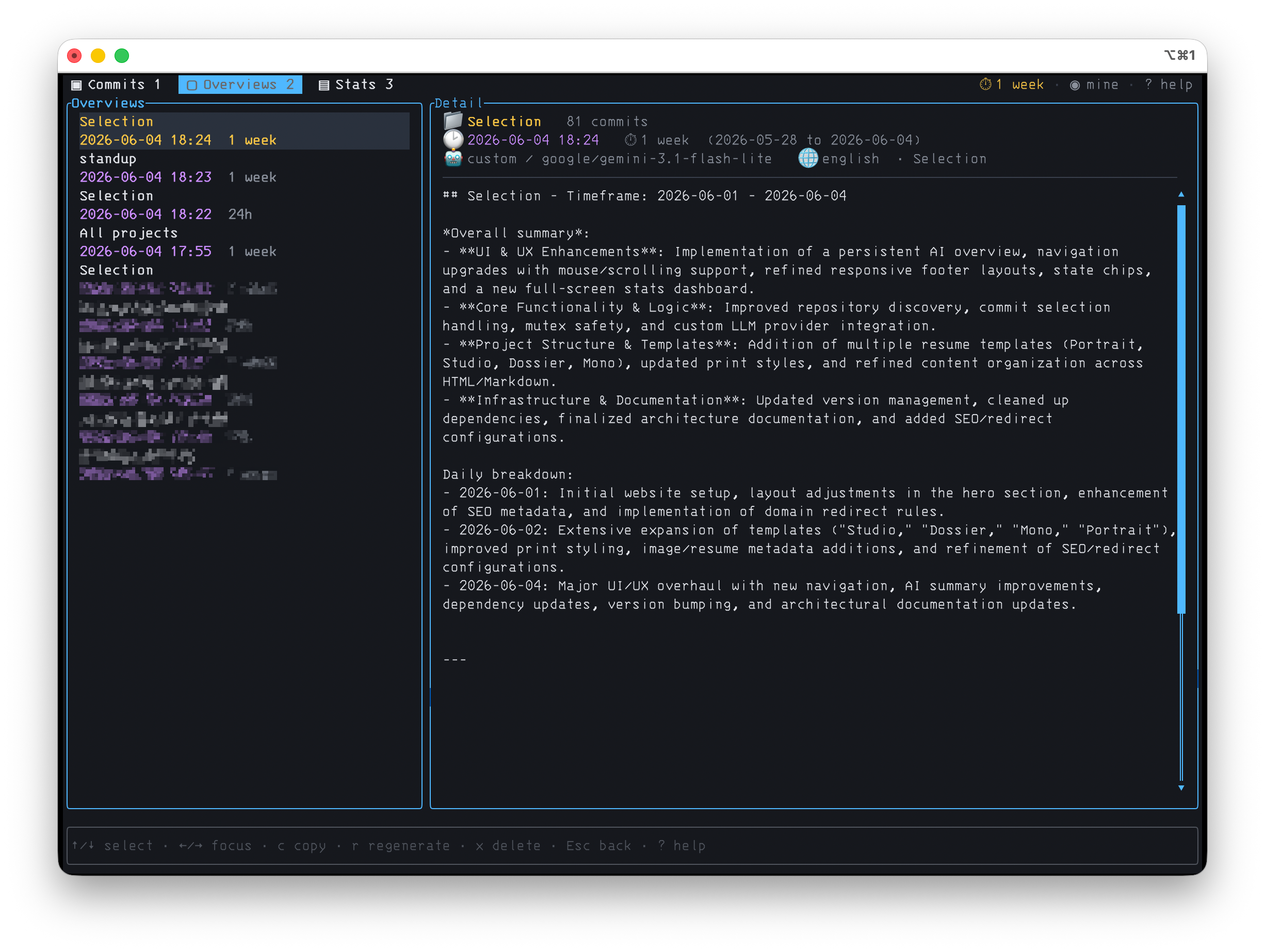
The AI Overviews are no longer ephemeral; they are now written to disk and survive a reboot. In the Overviews view, I can scroll through all saved summaries, copy, regenerate, or delete them.
Furthermore, AI Reporting is no longer limited to Gemini but now accepts any OpenAI-compatible API – OpenRouter, the Vercel AI Gateway, OpenAI itself, or a local server. On the first launch (or anytime via --setup), a Setup Wizard guides you through the provider, model, API key, and language, so you no longer have to dig through the whid.toml.
The Direct Mode outputs raw commits using whathaveidone --list and the finished AI summary using --generate. This allows you to skip the UI entirely and pipe both directly to stdout, bypassing the TUI. This finally makes it possible to integrate the tool into scripts and cronjobs or simply pipe the output, for example: whid -g week --lang german > standup.md or whid -g | pbcopy.
Additionally, there is the aforementioned Stats Dashboard, which breaks down your commits by day, weekday, and hour – and, since I happen to like Conventional Commits, also by commit type (feat / fix / chore / …) and ticket references like ABC-123.
The code is available on GitHub, and you can install it via crates.io using cargo install whathaveidone.
There is also a (admittedly very generic) GitHub Pages site now.
Feedback? Ideas? Wishes? Message me on Mastodon, Bluesky, or GitHub – and if you like the project, I would be thrilled to get a star on GitHub ⭐️